Something hit your car. Find the clip in minutes.
Curbwatch pulls every Sentry Mode and Dashcam event on your Tesla's USB drive into one queue on your Mac. Jump to the moment it happened, watch it from every camera, keep the clip that matters, and clear the rest of the drive.
Get notified at launchComing to the Mac App Store. macOS 15+, Apple Silicon.
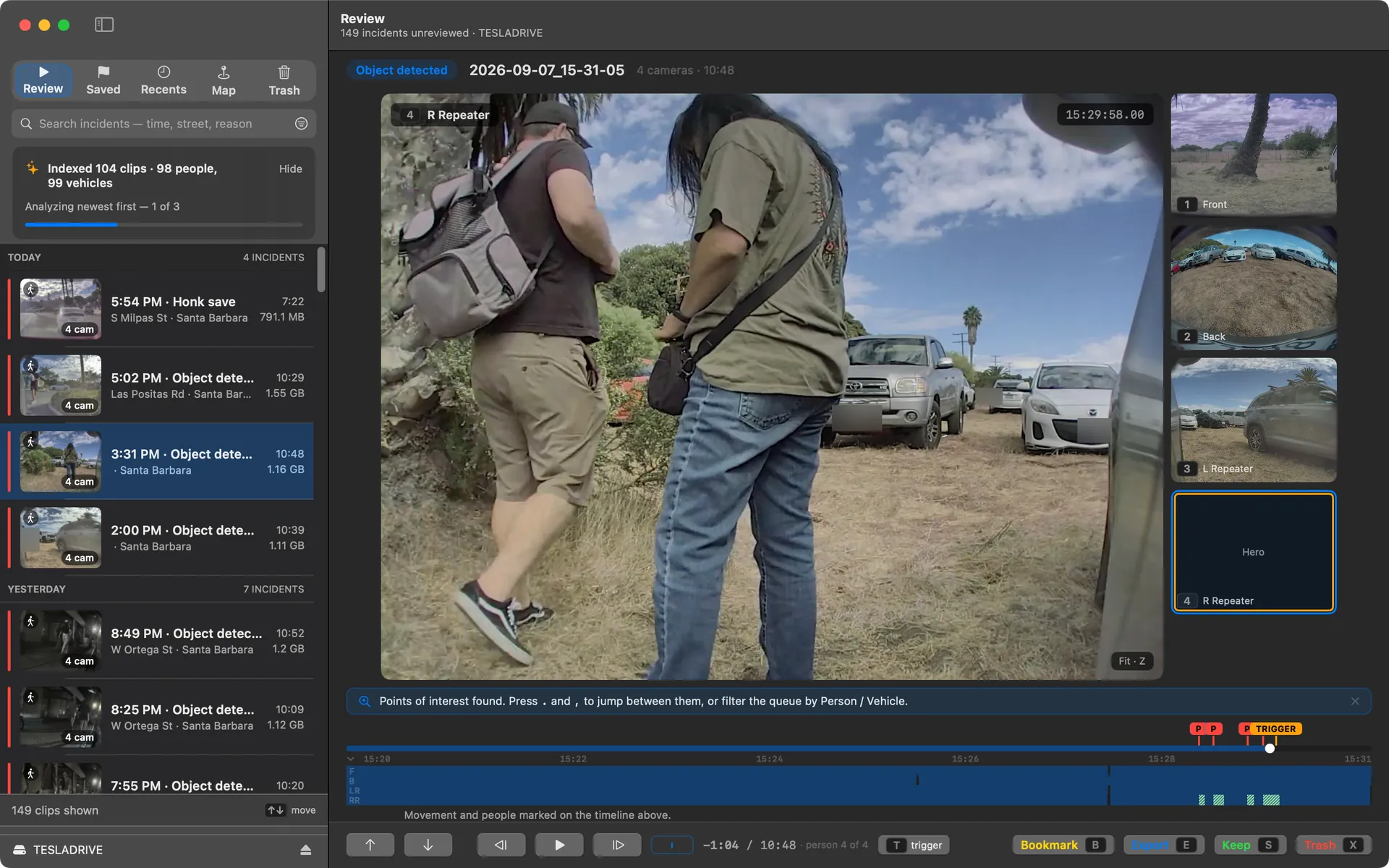
Triage at the speed of S X
Every event lands in one queue. S keeps a clip, X sends it to the trash, and the key caps sit right on the buttons so there's nothing to memorize. A parking lot's worth of alerts is a five-minute pass.
Every angle, one timeline
All the cameras play together on one timeline, so you can scrub straight to the moment that set the recording off and watch it from every side.
Skip to the moment someone walked up
The scan runs on your Mac. It marks every second of movement on the timeline and flags where a person or a vehicle shows up, so you can filter the queue down to just those clips and hop between the moments with . and ,. Free on your first 25 clips, then part of Pro.
Hand over one video, not a folder
When the adjuster asks for “the video,” export the combined camera grid or any single camera as one MP4, trimmed to just the moment, the minutes around it, or the whole clip.
See where it happened
Events plot on a map of the places your car has been parked, so the grocery-lot ding and the driveway false alarms sort themselves out at a glance. The map runs on Apple Maps and stays off until you turn it on.
A trash you can trust
Rejected clips go to a staging folder on the drive itself. Nothing is actually deleted until you empty the trash, so you can change your mind right up until then.
What it looks like
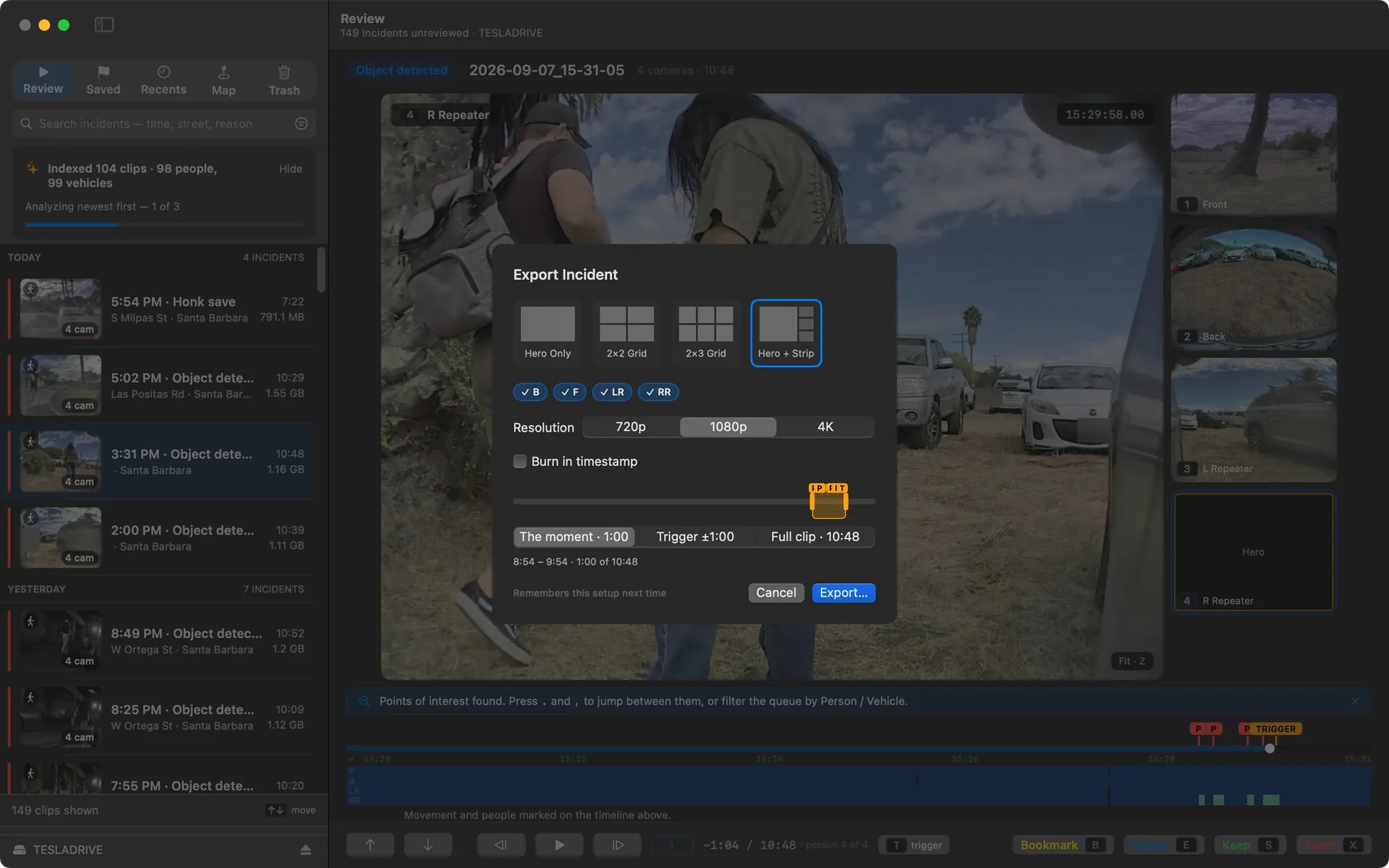
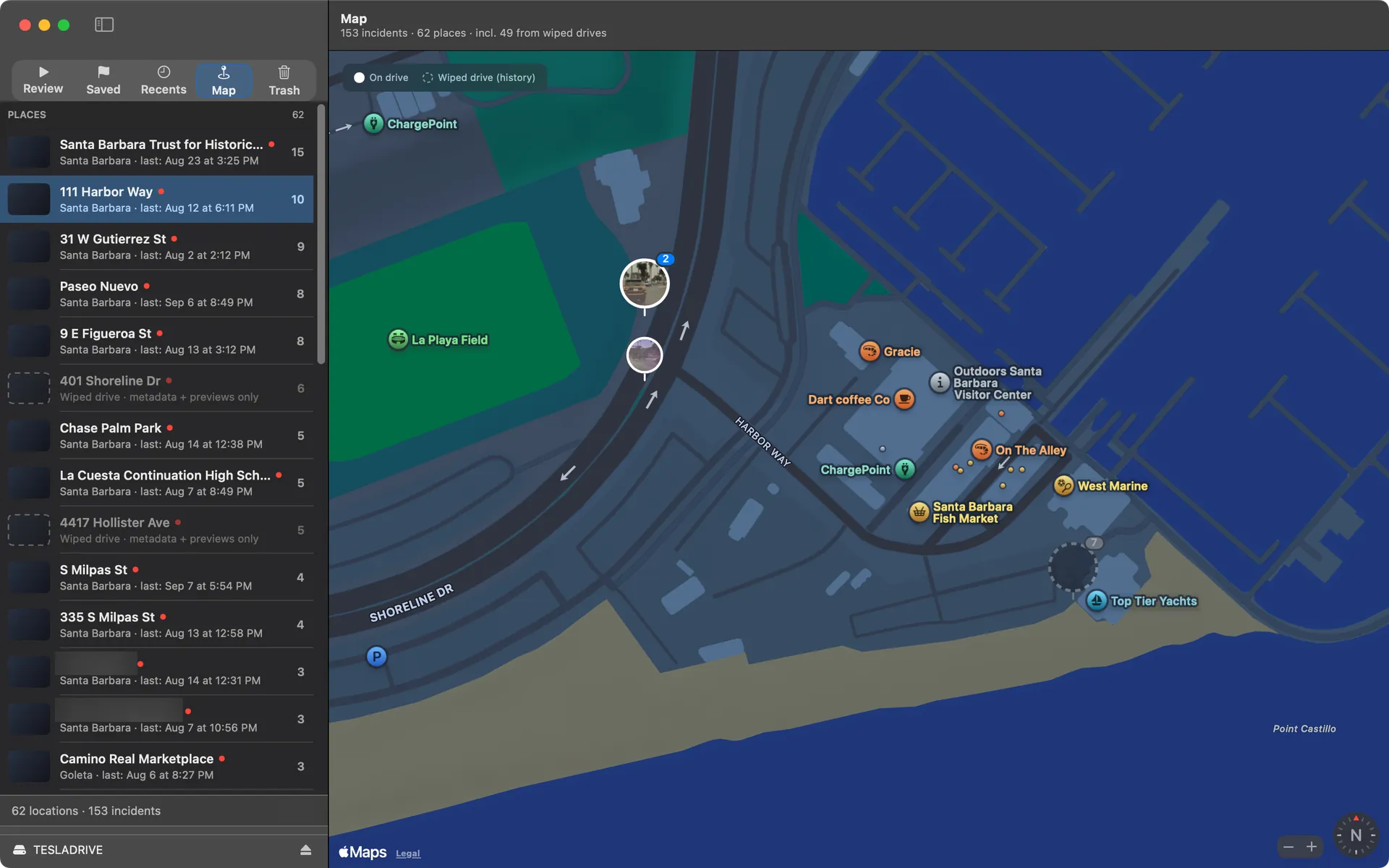
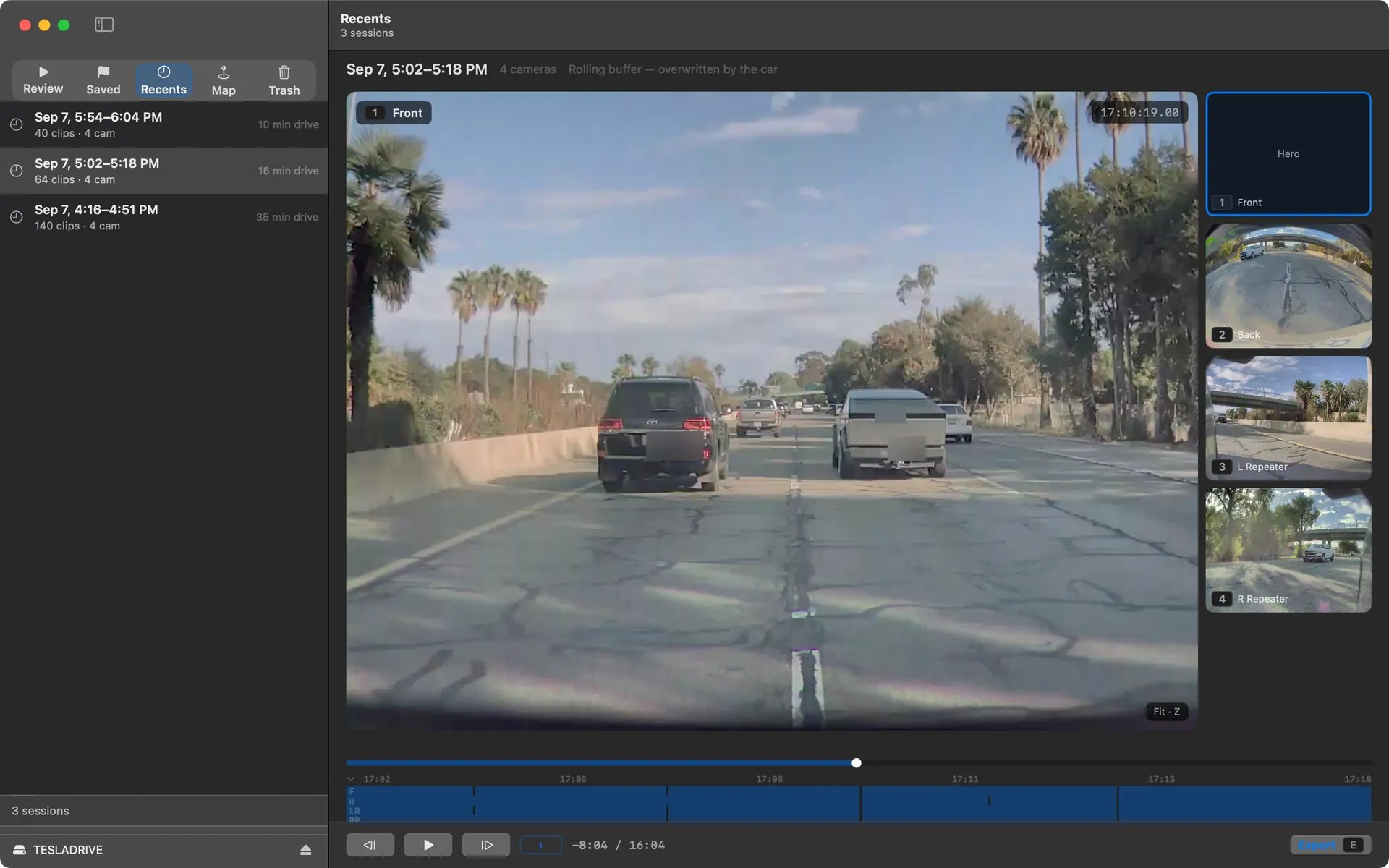
These are real clips. The licence plates are blurred for this page only. Curbwatch shows your footage as the car recorded it.
Your footage never leaves your Mac.
Curbwatch reads your drive locally. Your clips stay on your machine.
- There's no account to create and no cloud on the other end. Your clips are never uploaded.
- Locations stay on your Mac too, unless you switch on Apple Maps. Then Curbwatch sends each event's approximate location to Apple to draw the map and name the place. It's off until you say yes.
- Usage stats are off unless you say yes. The app asks exactly once, and there's a switch in Settings if you change your mind. Read exactly what's shared.
Free reviews your footage. Pro analyzes it.
Free
Every event in one queue, all cameras playing in sync, keep or trash with a staging folder on the drive, the map, and your dashcam footage grouped into trips. No account needed.
Pro
Every second of movement marked on every camera, people and vehicles found and flagged, filters for just those clips, keys to jump between what moved, and MP4 export. One purchase through Apple, $9.99 at launch. Family Sharing included. No subscription.